One-time purchase — no subscription

Your cute little AI interview assistant
for macOS

Lumi Desk sits quietly on your Mac, listens in real time, and works as an AI interview assistant, interview note taker, and cheap alternative to Cluely and Final Round AI.

Final Round AI: $96/month
Cluely: $99/month
LockedIn AI: $20/month
$1.99
One-time. Forever yours.

Competitor pricing based on public list pages reviewed on April 28, 2026. Check vendor sites for the latest details.

macOS 14+ (Sonoma) · Bring your own AI / STT provider keys

Invisible on Teams, Meet, and Zoom
Uses your resume and playbooks
AI note taker with transcript export
Local encrypted session storage
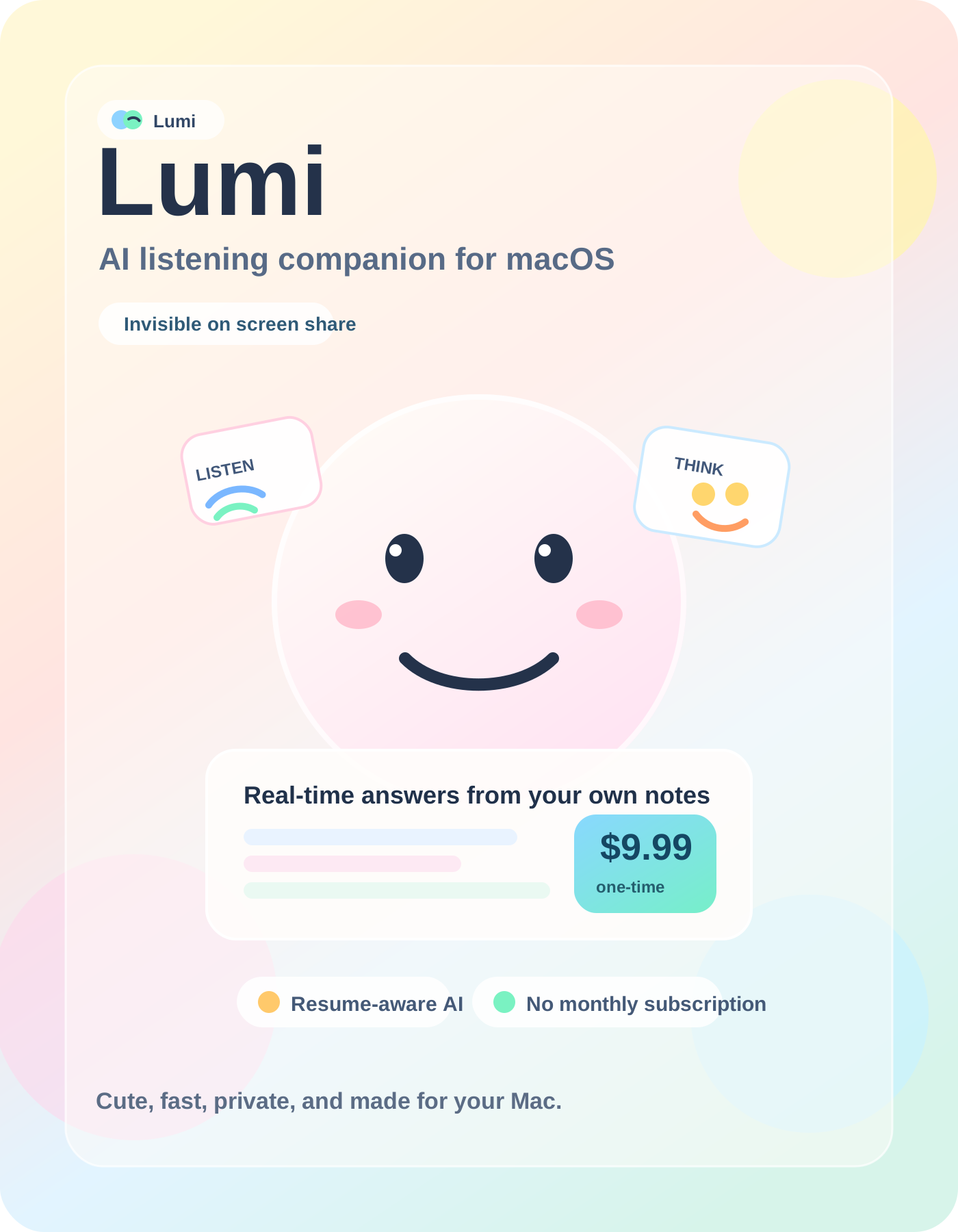
Cute Lumi cover showing a smiling listening companion, floating UI cards, and the $1.99 one-time price.

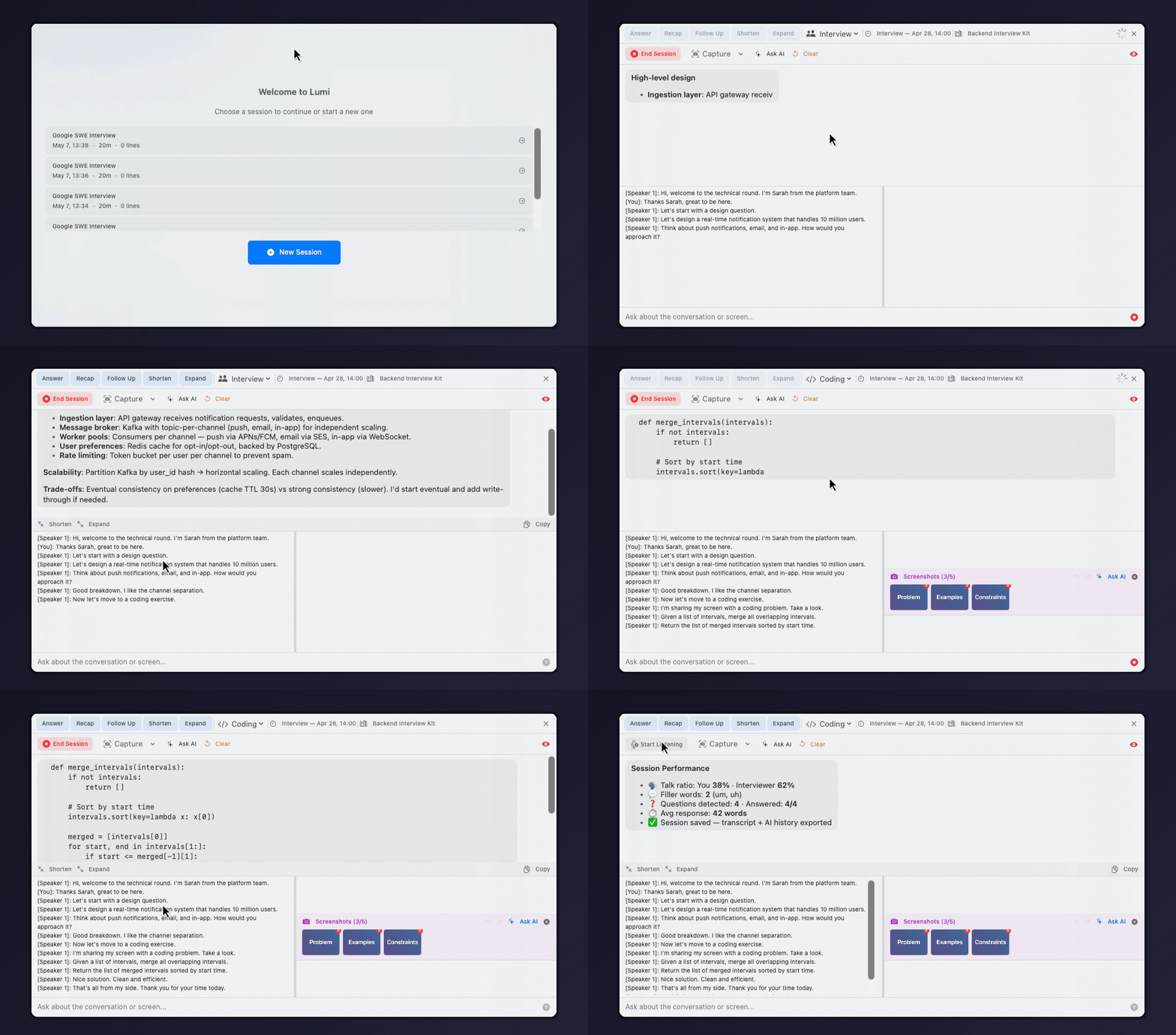
Watch a Full Interview Session

From start to finish: listening, system design answer, code capture, and performance review.

Lumi full interview demo

See Lumi in Action

Real loops from the actual app. No mockups, no fake browser chrome, no stitched marketing animation.

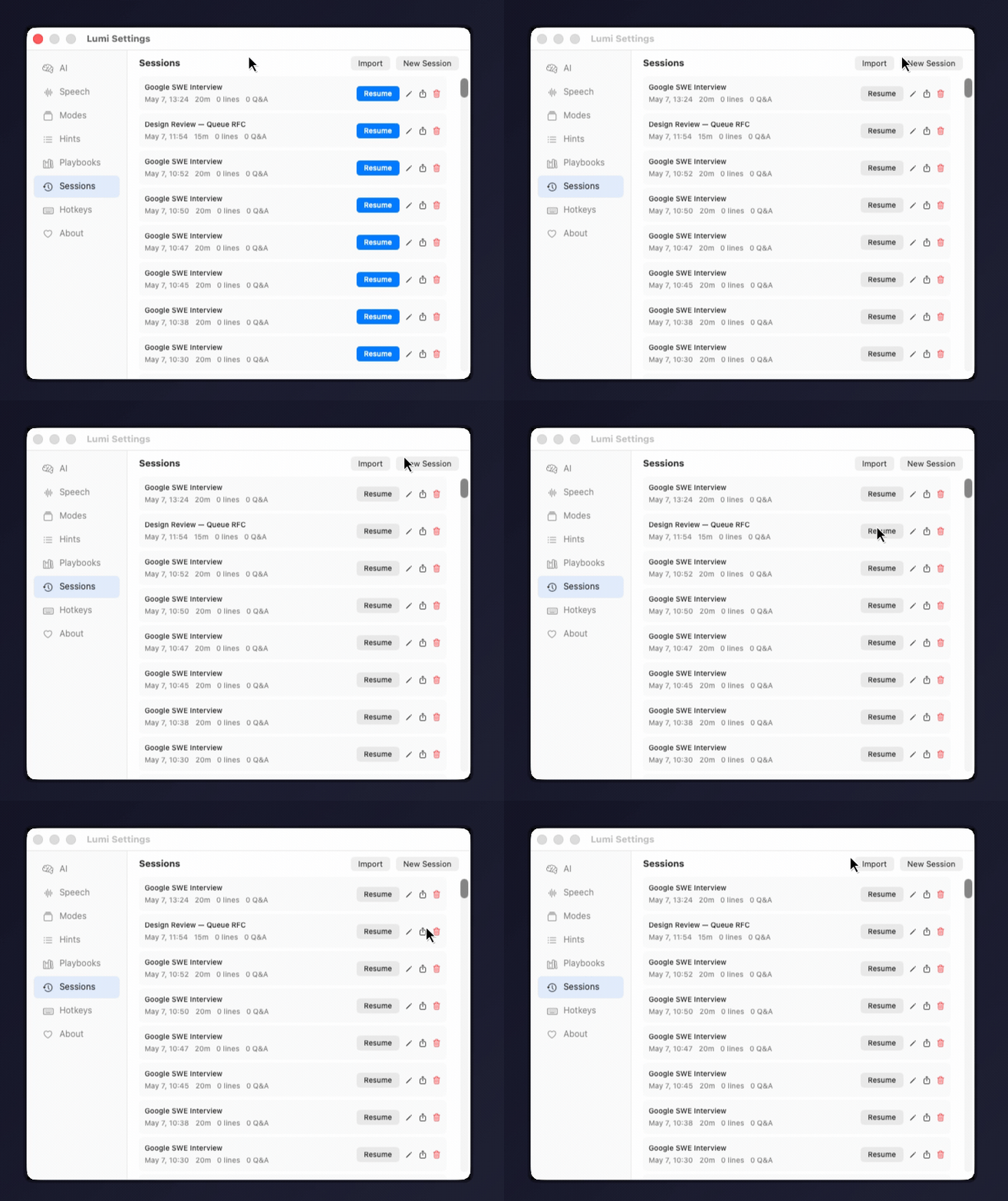
Session Management

Create, resume, and manage sessions so nothing is lost

Every interview or meeting becomes a session with transcript, AI history, and performance metrics. Resume any session later, rename it, export as Markdown, or delete when done.

  • Session picker on launch — see recent sessions, resume or start new
  • Auto-save with write-behind cache — no data loss on crash
  • Matches the real app UI instead of a mocked marketing layout
Lumi session management demo
Feature demoStart listening + capture + ask AI + clear
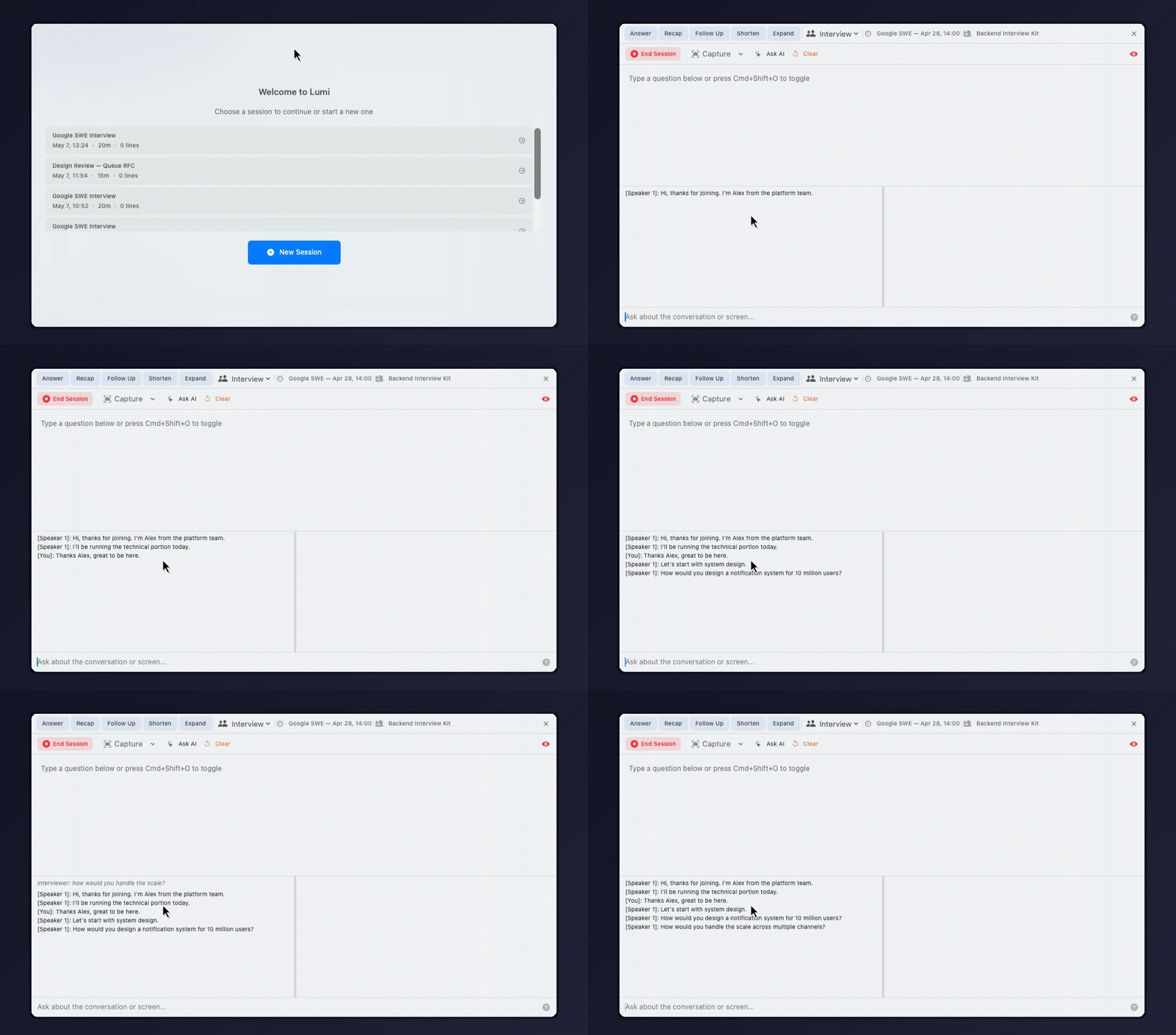
Live Listening

Start listening and keep the transcript live while the interview is happening

Lumi stays open during the call, tracks the ongoing conversation, and gives you a clean, readable transcript instead of forcing you into a post-call summary workflow.

  • Real-time transcript and live preview in the same overlay
  • One-click session start with visible capture state
  • Built for the live call, not just after-the-fact notes
Lumi live listening demo
Feature demoTranscript + active session
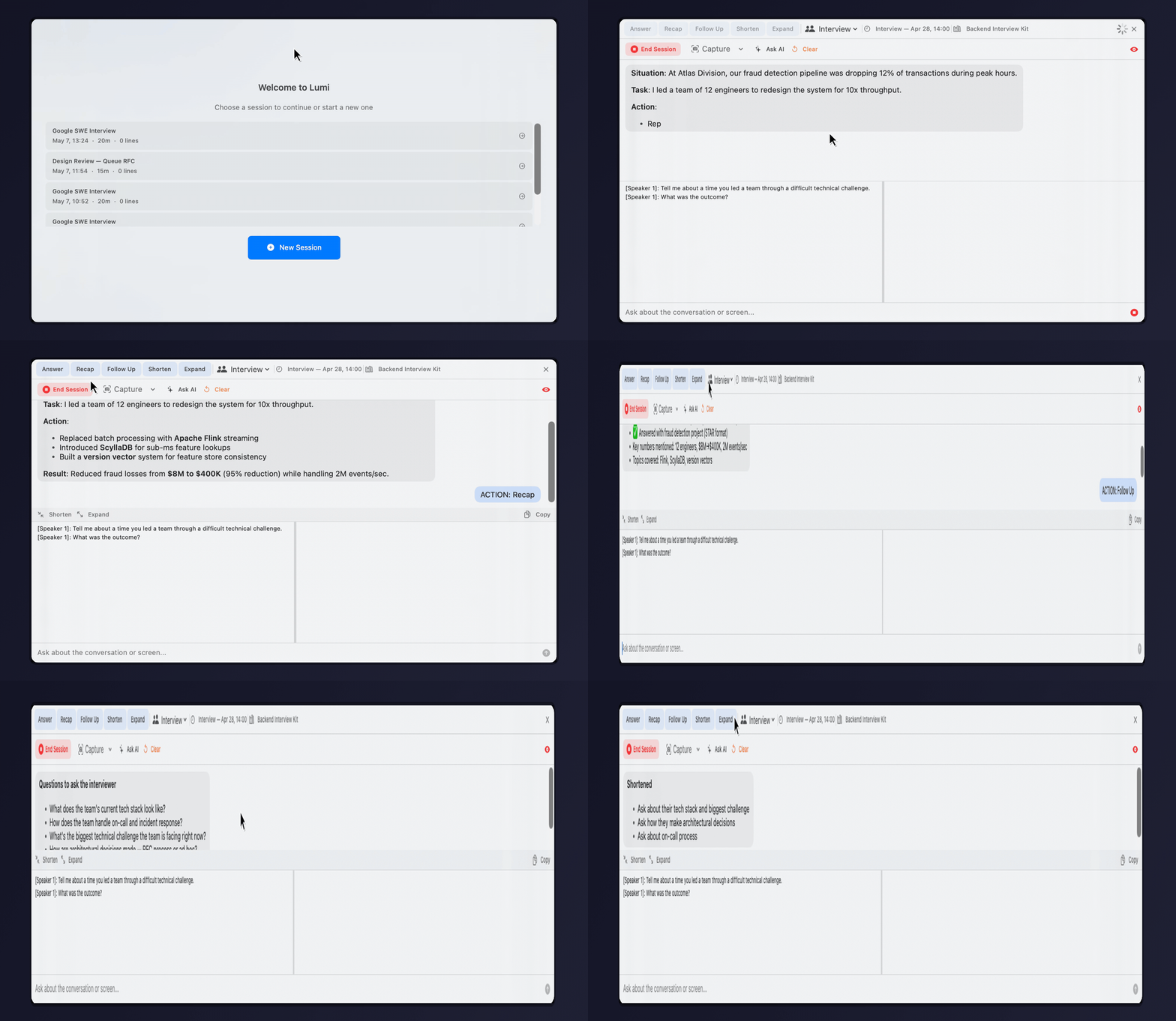
Instant Assist

Generate a strong answer in the moment instead of improvising under pressure

The app keeps context from the conversation and turns it into direct guidance you can actually use during the interview.

  • One-click action buttons for `Answer`, `Recap`, and `Follow Up`
  • Readable markdown output instead of a cramped chat bubble
  • Response transforms for shortening or expanding answers
Lumi instant assist demo
Feature demoAnswer + assist workflow
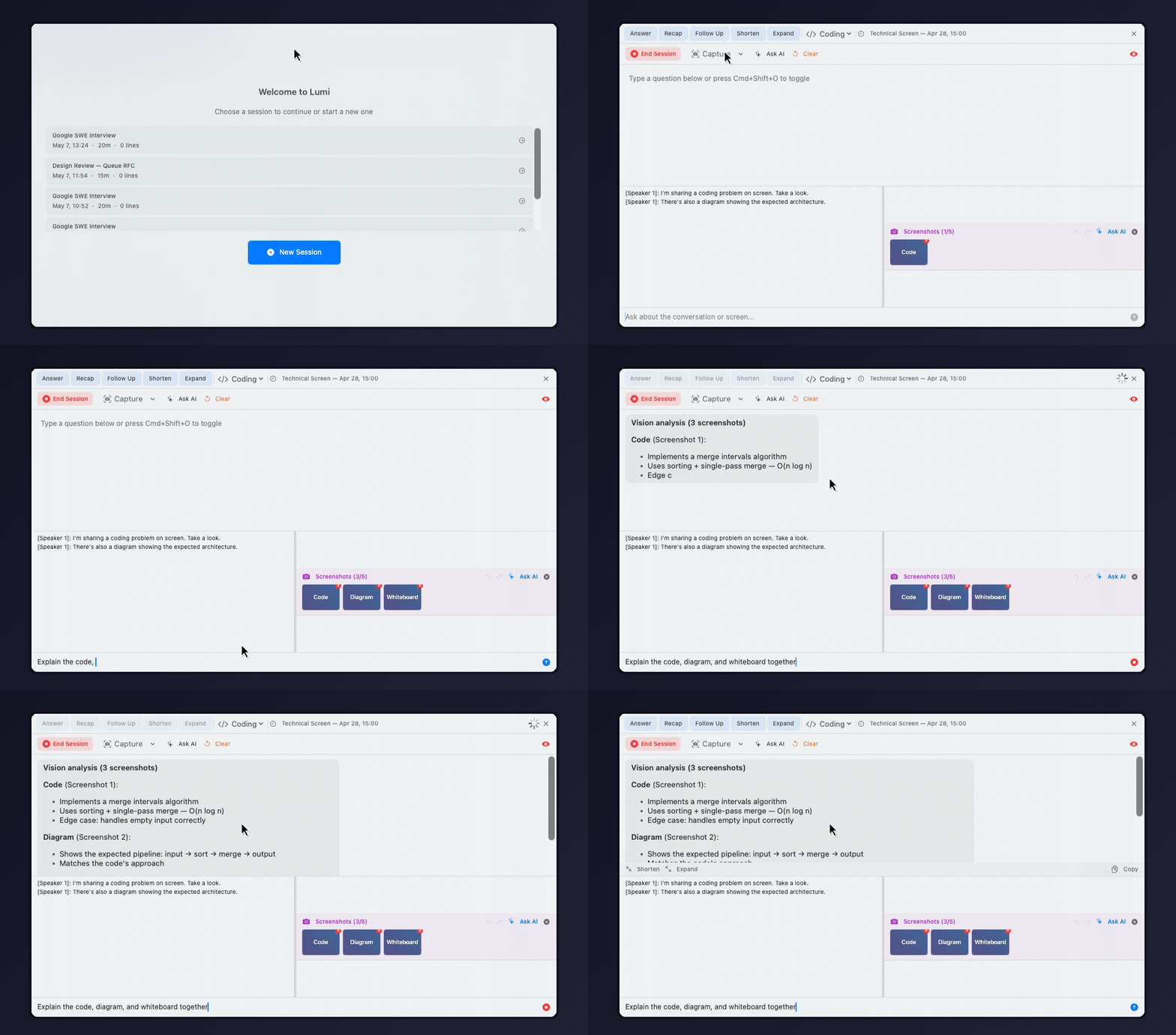
Screenshot Analysis

Capture the screen, queue multiple screenshots, and ask vision-enabled questions

When the interview shifts to diagrams, take-home prompts, or code on screen, Lumi can keep that visual context inside the same session.

  • Multi-image queue with undo and redo
  • Captured text stays visible alongside the AI answer
  • Good fit for coding screens and whiteboard-style prompts
Lumi screenshot analysis demo
Feature demoScreenshot queue + vision answer
Playbook Context

Bring your resume, prep notes, and interview documents into the answer flow

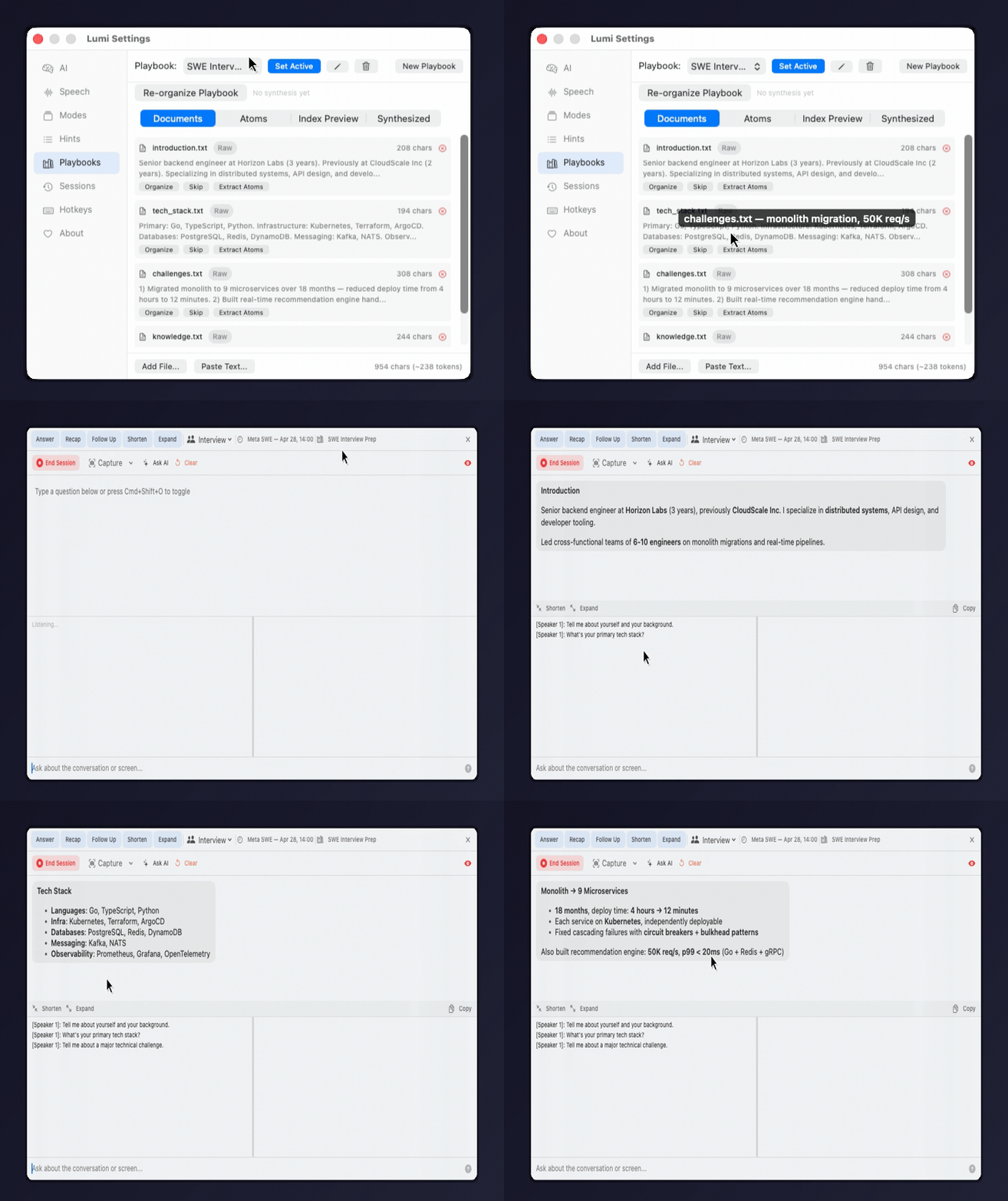
Lumi is stronger when it knows your background. The point is not generic AI help; it is context-aware help grounded in your own materials.

  • Resume and prep docs become active answer context
  • Follow-up prompts stay anchored to the same session
  • Mode-aware output for interview and coding workflows
Lumi playbook context demo — adding documents and AI answering from playbook data
Feature demoPlaybooks + follow-up guidance
Custom Modes

Each Mode controls how the AI thinks and responds

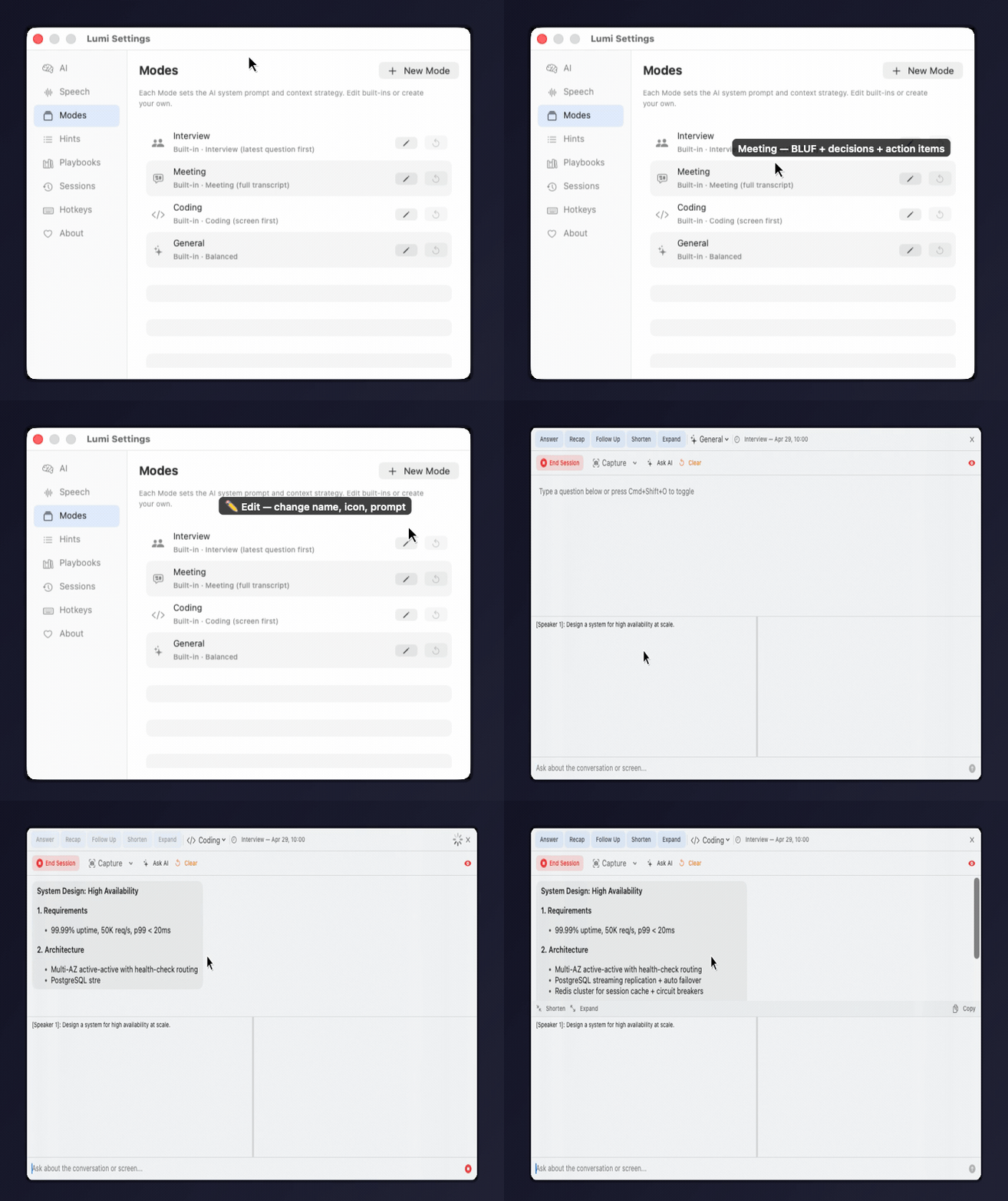
Built-in modes (Interview, Meeting, Coding, General) cover common scenarios. Create your own for specific roles like "Senior SRE Mock" or "Pitch Practice" — each with a full system prompt and context strategy.

  • Edit built-in modes — rename, change prompt, reset to factory defaults
  • Create custom modes with your own system prompt
  • Each mode specializes Answer, Recap, and Follow Up actions
  • Switch modes instantly from the overlay dropdown
Lumi custom modes management
Feature demoCustom modes — edit, create, reset
AI Playbook Synthesis

Merge all documents into one structured profile

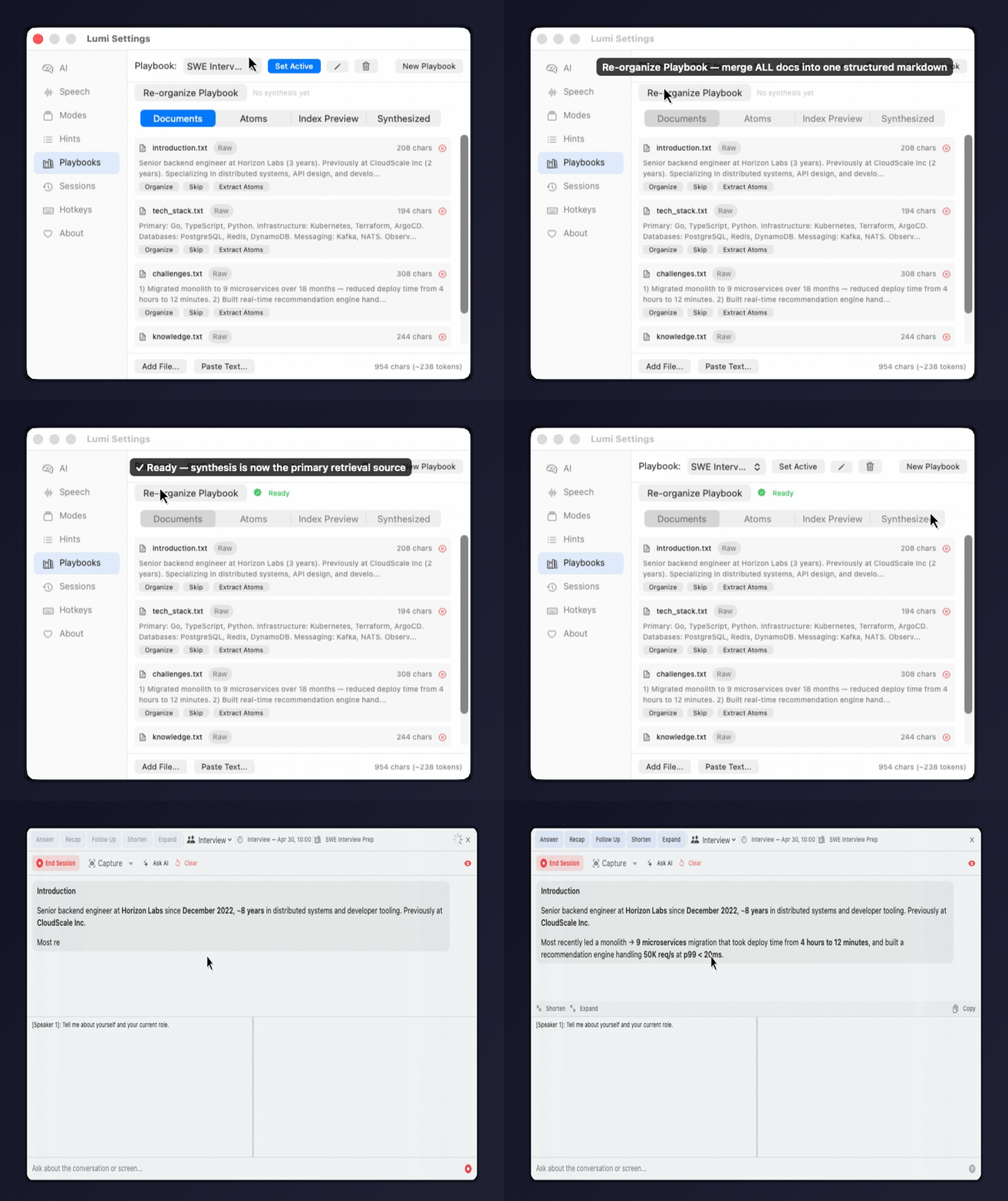
Click Re-organize to have AI merge your resume, notes, and Q&As into one structured markdown — organized by Profile, Experience, Achievements, Skills, and Projects. This becomes the primary source the AI draws from when answering questions.

  • One-click merge — all playbook docs into structured markdown
  • Auto-detects staleness when source docs change
  • AI answers draw from the synthesis first, atoms second
  • View and review the merged result in the Synthesized tab
Lumi AI playbook synthesis
Feature demoAI synthesis — merge docs into structured profile
Contextual Hints

Improve transcription accuracy with domain-specific terms

Add technical jargon, product names, and acronyms so the speech engine recognizes them correctly instead of guessing. Works across all three STT providers.

  • Organize by category — tech, project, company, role
  • Whisper: injected into prompt for vocabulary guidance
  • Deepgram: passed as weighted keywords (boost=2)
  • Apple Speech: native contextualStrings API
  • Loaded once per session — no per-chunk overhead
Example hints:
tech: Kubernetes, gRPC, PostgreSQL, ArgoCD
project: DPoS, Ronin, ERC-3643, Temporal
company: Horizon Labs, CloudScale, Atlas Division
1 / 7

AI Interview Assistant Keywords We Actually Match

Lumi Desk is built for the exact high-intent searches people use when they want a private, low-cost interview AI tool on macOS.

AI Assistant For Interview

Lumi Desk is an AI assistant for interview prep, live interview support, and follow-up note review. It listens in real time, references your resume, and helps answer questions with your own context.

Read the full AI interview assistant page

Interview Note Taker

If you need an AI interview note taker, Lumi Desk captures system audio, creates a live transcript, remembers prior questions, and exports structured notes after the session.

Read the interview note taker page

Cheap Interview AI

Looking for a cheap solution for interviewing? Lumi Desk is $1.99 once, instead of another monthly interview AI subscription layered on top of your API usage.

Read the cheap interview assistant page

Some people also search for terms like interview cheating AI. Lumi Desk matches that intent cluster as a private, invisible-on-screen-share macOS interview assistant, while still focusing on transcript quality, context, and note-taking.

How It Works

Four simple steps to ace your next interview.

📚

Upload Your Resume

Add resume, job description, past Q&As. AI references your actual experience — not generic advice.

🎧

Start Listening

One click to begin. Audio is captured continuously from your video call.

⚡

Ask AI Anytime

Click Ask AI or type a question. AI answers using transcript + your resume + conversation history.

🚫

Completely Invisible

The overlay is hidden from Teams, Meet, and Zoom screen sharing. OS-level stealth.

Lumi Desk vs Cluely and Final Round AI

If you are searching for a Cluely alternative, Final Round AI alternative, or a cheaper interview assistant, this is the direct comparison.

💰

Cheaper Than Subscription Tools

Lumi Desk is a one-time purchase at $1.99. That makes it a much cheaper interview AI than subscription-heavy competitors like Cluely or Final Round AI.

See the pricing-focused page

🍂

Private macOS Interview Assistant

Your notes stay on your machine. Lumi Desk is designed for people who want a macOS interview assistant without handing their resume and history to another cloud dashboard.

Compare with Cluely

📝

Interview Note Taker + Answer Assistant

Many people want both an interview note taker and a response helper. Lumi Desk combines live listening, transcript memory, screenshot analysis, and exportable notes.

Compare with Final Round AI

How We Compare

Same features as $96/month tools — for a one-time payment.

Competitor rows below are a best-effort comparison against public product pages reviewed on April 28, 2026 and may change.

Lumi Cluely Final Round AI LockedIn AI
Price $1.99 once $99/mo $96/mo $20/mo
Invisible to screen share✓ OS-level✓✓✓
One-click listening✓✗✗✗
AI uses your resume✓ Verified✓✗✗
Multi-round context✓ 7-round testedPartialPartialPartial
One-click actions (Ans/Recap/Code/F-Up)✓✗✗✗
Response transforms (Shorten/Expand/Bullets)✓✗✗✗
5 AI backends (GPT/Claude/Groq/Gemini/Ollama)✓✗✗✗
Streaming STT (Deepgram, <300ms)✓✗✗✗
Offline LLM (Ollama)✓✗✗✗
Smart intent routing (7 intents)✓✗✗✗
Custom Modes (editable prompts)✓✗✗✗
AI Playbook Synthesis✓✗✗✗
Type questions + live transcript✓✗✗✗
Screenshot AI (multi-image)✓ GPT-4o, up to 5✓✗✗
Session management✓ Auto-save, resume✗✗✗
Encrypted storage✓ AES-256Unknown✗✗
Data stays on your machine✓CloudCloudCloud
Native macOS (not Electron)✓ SwiftElectronWebWeb
Performance tracking✓✗✓✗

Tested & Verified

Every claim is backed by 455 automated tests using real API calls.

✅ Test Evidence

Integration tests verify the AI actually uses your documents — not generic answers.

AI uses resume details Upload "Led 12 engineers at Atlas Division" → AI responds with Atlas Division, 12 engineers, 95% fraud reduction
Multi-round context 7-round interview: AI references Apache Flink from round 3 when asked deeper in round 4. Response grows 296 → 2,419 chars.
BM25 search accuracy Query "leadership" → finds behavioral chunk. Query "URL shortener" → finds design chunk. Query "two sum" → finds coding chunk.
Anti-hallucination 3 seconds of silence → zero utterances. Welsh/Vietnamese garbage → blocked by 8-layer filter. Music lyrics misinterpreted as speech → suppressed.
Encryption Saved .enc file on disk → plaintext NOT visible in raw bytes → decrypts correctly on load.

Frequently Asked Questions

Do I need an OpenAI API key?

Not always. Speech-to-text can use OpenAI Whisper or Deepgram. Text responses can use OpenAI, Claude, Groq, Gemini, or local Ollama. Screenshot analysis currently uses OpenAI vision, so that feature still needs an OpenAI key.

Is it really invisible to screen sharing?

Yes. Lumi uses macOS sharingType = .none — an OS-level API that excludes the window from all screen capture. This is not a CSS trick. Works with Teams, Meet, and Zoom (window sharing mode).

Does it record my voice?

No. Start Listening only captures system audio (the interviewer's voice from the call). Your microphone is not recorded during listening. You can optionally enable mic for meeting transcription.

Where is my data stored?

Your session files, notes, and saved documents stay encrypted on your Mac. When you use transcription, AI answers, or screenshot analysis, Lumi sends the relevant transcript, prompt, and images to the provider APIs you configured. Lumi does not sync your notes to a Lumi-owned cloud.

Can I use Claude instead of GPT?

Yes. Claude can power text responses. Speech-to-text comes from OpenAI Whisper or Deepgram, and screenshot analysis currently uses OpenAI vision.

Why not a monthly subscription?

Because you already pay OpenAI for API usage. We don't want to double-charge you. $1.99 once covers the app — AI costs are between you and OpenAI.

Is Lumi Desk a Cluely alternative?

Yes. If you are searching for a Cluely alternative, Lumi Desk covers the core interview-assistant use case on macOS with a one-time price, local encrypted storage, and resume-aware answers.

Is Lumi Desk a Final Round AI alternative?

Yes. Lumi Desk is a Final Round AI alternative for people who want a cheaper interview assistant, a native macOS overlay, and local session management instead of another recurring subscription.

Can Lumi Desk be used as an AI interview note taker?

Yes. Lumi Desk captures system audio, keeps a running transcript, remembers earlier context, and lets you export the full session as notes.

Is Lumi Desk a cheap solution for interviewing?

Yes. Lumi Desk costs $1.99 once, while many interview AI tools charge monthly fees. You only cover the actual API usage separately.
Stop paying $96/month

One-time purchase. No subscription. Your data stays on your machine.

Get Lumi — $1.99

macOS 14+ (Sonoma) · Instant download after purchase